4K Streaming Requirements for Speed, Devices, and Subscriptions
Complete guide to 4K streaming requirements including internet speed, device compatibility, and subscription tiers across all major platforms.
Anúncios
Upgrading to a 4K TV without meeting the 4K streaming requirements for internet speed, device compatibility, and subscription tiers means watching compressed 1080p on a screen built for more. Getting every piece of the puzzle right unlocks the quality difference you paid for.
What Internet Speed Do You Actually Need for 4K Streaming?
Anúncios
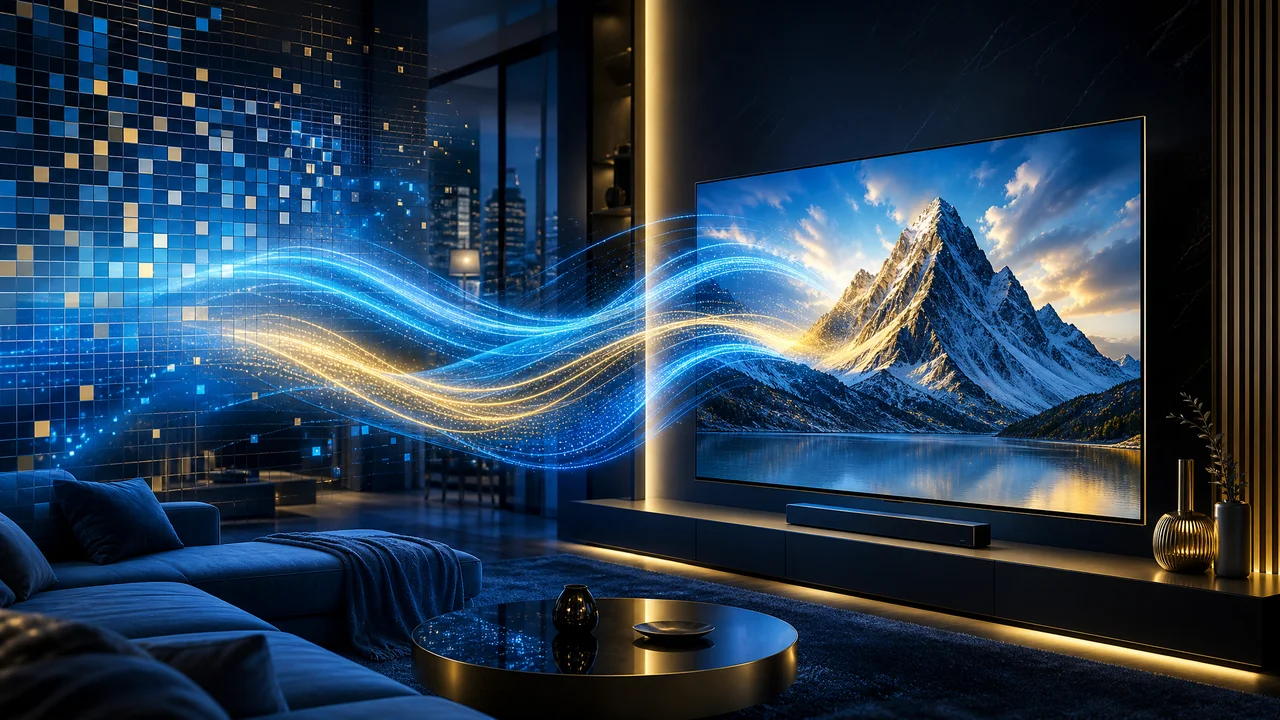
Netflix recommends 15 Mbps minimum for 4K streaming. Disney+ suggests 25 Mbps. Apple TV+ performs best at 25-40 Mbps. These are per-device requirements. A household streaming 4K on two TVs simultaneously while someone video calls needs 75-100 Mbps of total bandwidth at minimum.
Recommended speeds assume ideal conditions. Wi-Fi interference, network congestion, and distance from the router reduce effective speeds by 30-50%. Planning for double the minimum requirement ensures consistent 4K delivery even during peak household internet usage.
Which Devices Support 4K Streaming?
Anúncios
Not every device connected to a 4K TV can output 4K content. The streaming device, HDMI cable, and TV must all support 4K for the resolution to reach your screen. A 1080p streaming stick connected to a 4K TV outputs upscaled 1080p, not native 4K.
- Apple TV 4K — supports 4K HDR Dolby Vision and Atmos across all apps
- Roku Streaming Stick 4K — affordable 4K with broad app support
- Amazon Fire TV Stick 4K Max — 4K with Wi-Fi 6E and Alexa
- Chromecast with Google TV 4K — 4K HDR with Google ecosystem integration
- PlayStation 5 / Xbox Series X — 4K streaming plus gaming
- Smart TV built-in apps — check model specs for 4K and HDR support
Do All Streaming Plans Include 4K Content?
Netflix restricts 4K to its Premium tier at $22.99 per month. Standard tier caps at 1080p. Disney+ includes 4K on all plans. Amazon Prime Video provides 4K at no extra cost with Prime membership. Apple TV+ streams everything in 4K by default. Max requires the $20.99 Ultimate tier for 4K.
Hulu does not offer 4K streaming on most content. Peacock's 4K availability is limited to select events and titles on its Premium Plus tier. Paramount+ streams some content in 4K on its Premium tier. Check each service's specific 4K policy before expecting ultra-HD quality from your subscription.
What HDMI Cable Do You Need for 4K Streaming?
HDMI 2.0 cables support 4K at 60 frames per second, sufficient for all current streaming content. HDMI 2.1 cables add support for higher frame rates and gaming features but provide no benefit for streaming applications. Any cable labeled Premium High Speed HDMI or Ultra High Speed HDMI works.
Avoid overpriced HDMI cables marketed as 4K-specific. A $10 certified cable performs identically to a $50 branded one for streaming purposes. Digital signals either work or do not; there is no quality gradient based on cable price. Certification matters more than brand.
How Does HDR Relate to 4K Streaming?
HDR and 4K are separate technologies that frequently ship together but serve different purposes. 4K increases pixel count for sharper images. HDR expands brightness and color range for more lifelike pictures. Most 4K streaming content includes HDR, but some 4K titles stream without HDR enhancement.
Dolby Vision is the premium HDR format supported by Netflix, Disney+, Apple TV+, and Paramount+. HDR10 is the baseline standard all HDR TVs support. HDR10+ is Samsung's competing format supported by Amazon Prime Video. Your TV's HDR format support determines which enhanced content you can view.
Why Does 4K Content Sometimes Look Blurry on Your TV?
Streaming 4K compresses video significantly compared to 4K Blu-ray or native 4K sources. Low bitrate during network congestion reduces visible detail even at 4K resolution. The result can look softer than high-bitrate 1080p content, especially in dark scenes with fine detail.
TV picture processing settings affect perceived sharpness. Disable motion smoothing, which adds artificial frames that create the soap opera effect. Set sharpness to its default or slightly below. Enable Filmmaker Mode if available. These settings present the streaming source as intended rather than artificially processed.
Does Wi-Fi or Ethernet Work Better for 4K Streaming?
Ethernet provides the most consistent 4K streaming experience. Wired connections eliminate interference, latency spikes, and bandwidth sharing that cause quality drops on Wi-Fi. If your router is near your TV, a $10 Cat 6 cable is the single best investment for streaming quality.
Wi-Fi 6 and 6E provide enough bandwidth for 4K streaming when the device is within reasonable range of the router. Walls, floors, and distance degrade Wi-Fi performance. If wiring is impractical, placing a mesh Wi-Fi node near your primary streaming TV ensures strong signal delivery.
How Much Data Does 4K Streaming Consume?
One hour of 4K streaming uses approximately 7-10 GB of data on Netflix, slightly less on platforms with lower bitrates. A household watching 4K content for four hours daily consumes roughly 900 GB-1.2 TB per month. ISPs with data caps may charge overage fees at these consumption levels.
Check your ISP's data cap policy before committing to 4K streaming habits. Comcast caps at 1.2 TB in most markets. AT&T Fiber offers unlimited data. T-Mobile Home Internet has no hard cap but may deprioritize heavy users. Switching to an unlimited data plan may be necessary for heavy 4K households.
Is 4K Worth It on Screens Under 55 Inches?
At typical viewing distances of 7-10 feet, screens under 50 inches show minimal visible difference between 4K and 1080p. The human eye cannot resolve individual pixels at these combinations of size and distance. HDR makes a more noticeable impact than resolution on smaller screens.
Monitors and desks change this equation. A 32-inch 4K monitor viewed from 2-3 feet shows clear resolution benefits. Tablets and phones cannot display meaningful 4K differences at any distance. Match your 4K priorities to your largest screen and viewing distance combination.
Setting Up Your Complete 4K Streaming System
Verify your internet plan meets or exceeds 50 Mbps per 4K stream. Connect your primary streaming device via ethernet or position a mesh node nearby. Use HDMI 2.0 or higher certified cables. Confirm your streaming subscriptions include 4K access. Enable HDR on your TV and in each streaming app.
Run a quality test by playing known 4K HDR content like a nature documentary on Apple TV+ or a Netflix original. Check for consistent sharpness, vibrant HDR highlights, and buffer-free playback. If any element underperforms, troubleshoot that specific link in the chain rather than upgrading everything simultaneously.
Future-Proofing Your Setup for 8K and Beyond
8K streaming remains impractical for consumer use with no major platform offering 8K content and minimal 8K hardware availability. Current 4K setups will remain relevant for five or more years. Investing in HDMI 2.1 cables and a capable streaming device today provides upgrade headroom when higher resolutions eventually arrive.
AV1 codec adoption will improve 4K quality at current bitrates before 8K becomes mainstream. Better compression technology means the same internet connection will deliver sharper 4K images over time. Your current hardware benefits from software and codec improvements without replacement.