Podcast Streaming Apps That Sync Across All Your Devices
Compare the best podcast streaming apps with cross-device sync, smart playlists, and episode management features for phone, tablet, and desktop.
Anúncios
Switching between phone, tablet, and desktop while listening to podcasts should pick up exactly where you left off. The best podcast streaming apps sync your position, queue, and subscriptions across every device seamlessly. The worst ones make you hunt for where you stopped mid-episode.
Which Podcast Apps Offer the Best Cross-Device Sync?
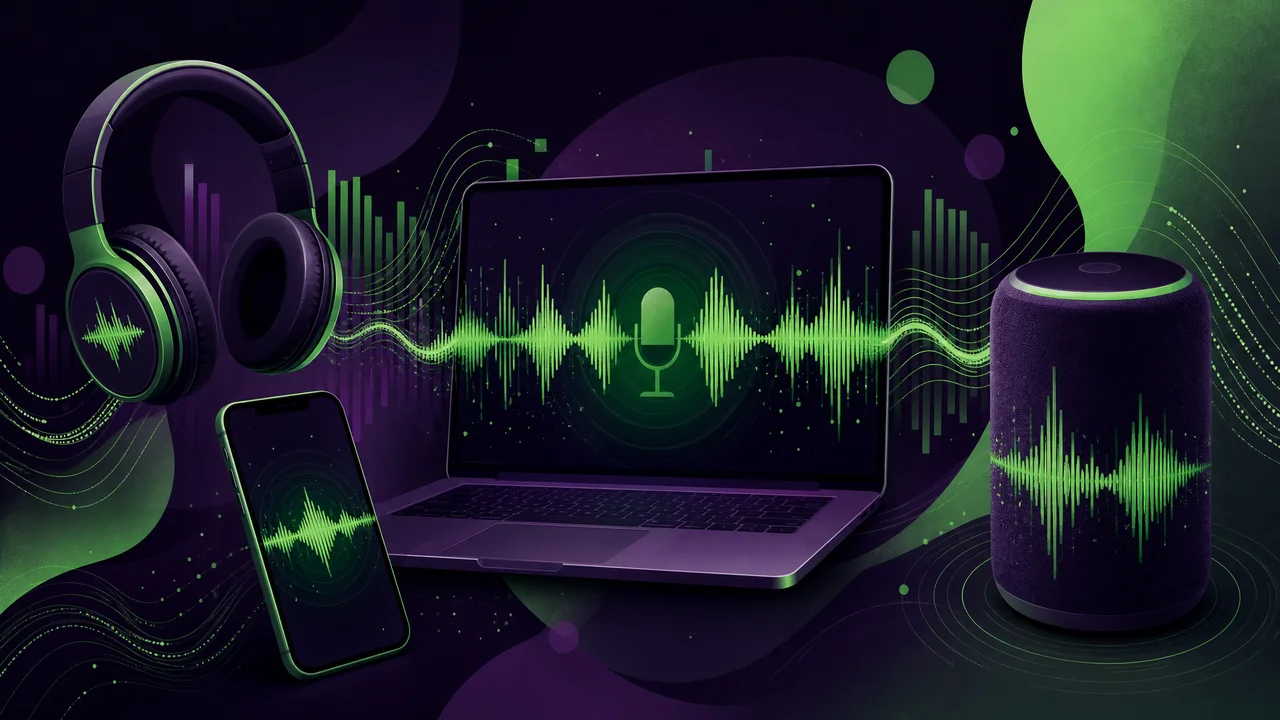
Apple Podcasts syncs flawlessly across iPhone, iPad, Mac, and Apple Watch through iCloud. Spotify syncs across every platform including web, desktop, mobile, and smart speakers. Pocket Casts offers the most comprehensive cross-platform sync covering iOS, Android, web, and desktop apps.
Google Podcasts shut down in 2024, pushing users to YouTube Music for podcast listening. YouTube Music syncs across devices but treats podcasts as secondary content with fewer management features. The transition left many Android users searching for better alternatives.
How Does Spotify Compare to Dedicated Podcast Apps?
Spotify bundles podcasts with music in one app, which simplifies the listening experience but limits podcast-specific features. Episode management, playlist organization, and playback customization lag behind dedicated apps like Pocket Casts and Overcast.
Spotify's advantage lies in exclusive podcasts unavailable elsewhere. Joe Rogan, Call Her Daddy, and other high-profile shows require Spotify for access. If your must-listen shows are Spotify exclusives, the convenience outweighs the feature limitations.
What Features Make Pocket Casts Stand Out?
Pocket Casts treats podcast management as a serious workflow. Custom filters sort episodes by duration, download status, or release date. Trim silence removes dead air automatically, shortening episodes by 10-20% without affecting content. Variable speed playback adjusts in 0.1x increments for precise control.
- Cross-platform sync across iOS, Android, web, and desktop
- Custom filters and smart playlists for episode management
- Trim silence and volume boost for audio optimization
- Up Next queue with manual reordering
- Chapter support for navigating within episodes
- Auto-archive and auto-download rules per subscription
Is Apple Podcasts Good Enough for Most Listeners?
Apple Podcasts covers the basics competently. Automatic downloads, subscription management, and iCloud sync work without configuration. The app improved significantly in recent updates with better search, channel pages, and annual subscription support for premium podcasts.
Power listeners find Apple Podcasts limiting. No trim silence feature, basic queue management, and no web player restrict flexibility. The app serves casual listeners perfectly but pushes enthusiasts toward third-party alternatives.
How Do Free Podcast Apps Compare to Paid Options?
Spotify and Apple Podcasts offer full-featured free tiers that satisfy most listeners. Pocket Casts charges a one-time purchase on mobile and offers a subscription for desktop and web access. Overcast operates on a freemium model with premium features behind a yearly subscription.
Free apps monetize through ads in the interface, not in the podcasts themselves. Paid apps remove interface ads and unlock power features. The podcast content remains identical regardless of which app you use, since most shows distribute through open RSS feeds accessible to any player.
What Is the Best Podcast App for Android Users?
Pocket Casts leads for Android podcast listening with Material Design integration, Wear OS support, and Android Auto compatibility. AntennaPod provides a completely free, open-source alternative with no tracking or ads. Podcast Addict offers the deepest feature set with granular control over every aspect of playback.
Spotify works well on Android but lacks the podcast-specific depth of dedicated apps. Google's push toward YouTube Music for podcasts left a gap that third-party developers filled effectively.
Can You Listen to Podcasts Offline?
Every major podcast app supports offline listening through automatic episode downloads. Configure downloads to occur only on Wi-Fi to preserve mobile data. Set per-show download limits to prevent storage overload from prolific daily podcasts that produce hours of content weekly.
Spotify requires a Premium subscription for offline music but allows free offline podcast downloads. Apple Podcasts downloads episodes automatically for subscribed shows. Pocket Casts lets you set per-podcast download rules including episode count limits and auto-deletion timers.
How to Organize Podcasts When You Subscribe to 50+ Shows
Create category-based playlists that group similar shows. A morning commute playlist might include news and short-form shows under 30 minutes. An evening playlist could feature long-form interview shows and narrative series. This structure prevents overwhelm from a flat subscription list.
Mark shows as must-listen versus casual. Must-listen shows download automatically and appear at the top of your queue. Casual shows only download manually when you have time to catch up. This two-tier system prevents backlog anxiety from accumulating hundreds of unplayed episodes.
Which Apps Support Podcast Chapters and Transcripts?
Pocket Casts, Overcast, and Apple Podcasts support chapter markers that let you skip to specific segments within episodes. Castro displays chapters in its minimalist interface design. Transcript support is newer, with Apple Podcasts leading the rollout of searchable episode transcripts.
Chapters and transcripts depend on podcast creators including them in their RSS feeds. Not every show provides these features. When available, chapters transform long episodes into navigable content that respects your time by letting you skip to relevant sections.
Smart Speaker Integration for Podcast Listening
Amazon Echo devices default to Amazon Music for podcasts with limited management features. Google Nest speakers work with YouTube Music, Pocket Casts, and Spotify through voice commands. Apple HomePod integrates tightly with Apple Podcasts and supports handoff from iPhone.
The best smart speaker podcast experience comes from casting or AirPlaying from your phone rather than using voice commands. This gives you full control over episode selection and queue management while outputting audio through better speakers.
Switching Podcast Apps Without Losing Your Subscriptions
OPML export lets you transfer your complete subscription list between any podcast app. Export from your current app, import into the new one, and every show transfers instantly. Listening history and episode progress typically do not transfer between apps.
Run both apps simultaneously for a transition period. Listen to new episodes in the new app while finishing in-progress shows in the old one. After two weeks, the old app's queue empties naturally and you can delete it confidently.